Excel Automation Tools
Excel File Merger
$17
Download. Open. Done.
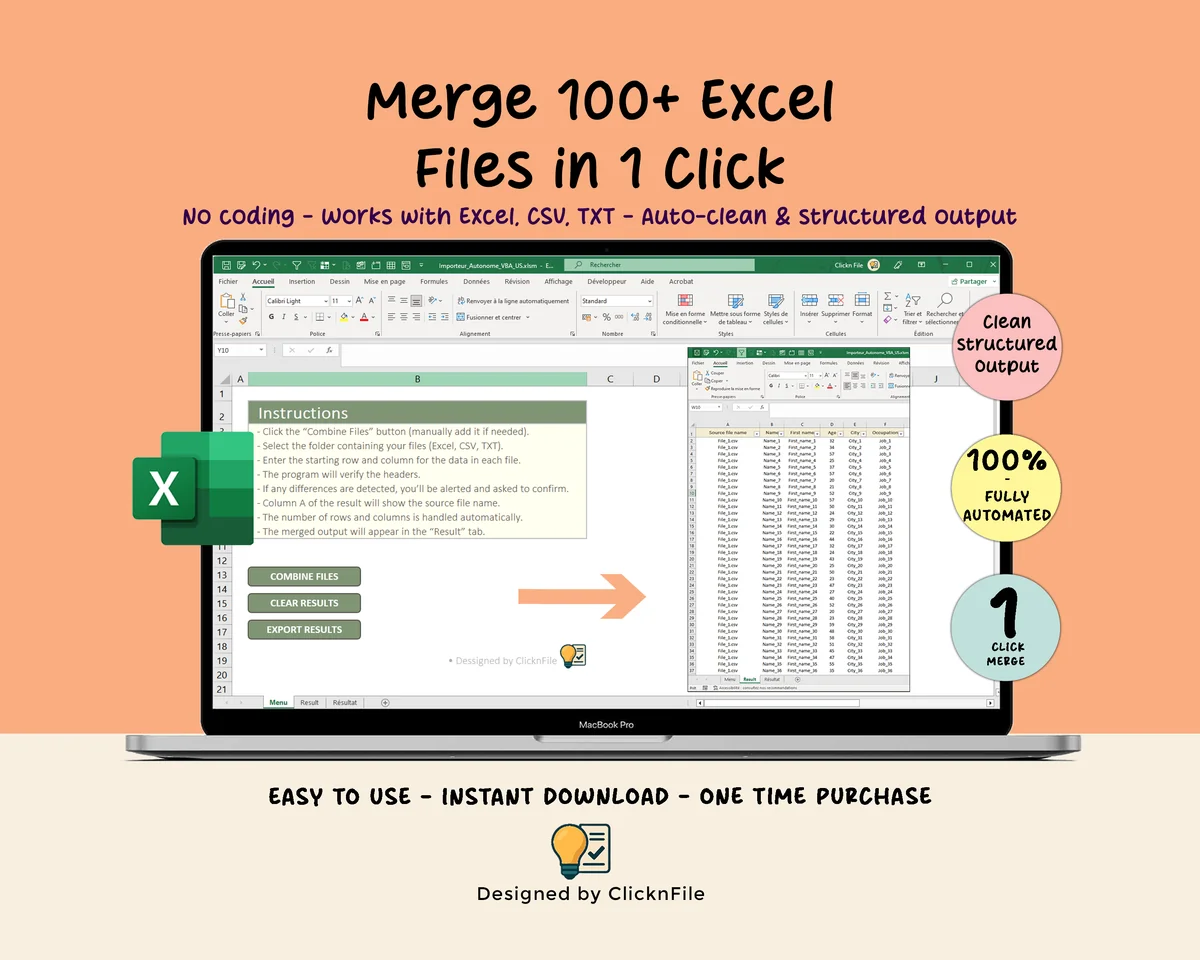
Stop copying and pasting between files. Merge multiple Excel, CSV or TXT files into one clean structured sheet in a few clicks.
Currently unavailable
This template is temporarily off the shelves while I migrate it to direct PayPal checkout. Want a heads-up the day it's back? Drop me a line and I'll email you.
Windows only (VBA macros)
Excel 2016+ supported
Instant download
Lifetime free updates
✦ What it does
Excel File Merger.
Stop copying and pasting between files. Merge multiple Excel, CSV or TXT files into one clean structured sheet in a few clicks. This VBA-powered Excel tool handles headers, formats and data types automatically. Select your files, choose your settings and everything merges into the Results sheet instantly.
✦ Features
Everything included.
Built for professionals who want a tool that works without setup or learning.
✓
Auto-detection of separators (, ; | TAB)
✓
Built-in duplicate and empty row detection
✓
Compatible with XLS, XLSX, XLSM, XLSB, CSV, TXT
✓
No installation, no add-ins, 100% Excel-based
✓
Lifetime use, unlimited merges
✦ In your download
What you get.
What's inside
- Excel workbook (instant download)
- User guide (PDF, step-by-step)
- Pre-filled sample data ready to edit
- Lifetime access, no subscription
Specs
FormatExcel (.xlsm)
CompatibilityWindows only
VersionExcel 2016+ / Microsoft 365
DeliveryInstant download
MacrosRequired (VBA, Mac not supported)
✦ Quick answers
FAQ
Designed for Excel for Windows desktop. Mac Excel is not officially supported because the VBA macros that power the automation may not run reliably. Excel Online and mobile are not supported either.
Yes. The first time you open the file, click Enable Content. The macros are pre-built; you only press buttons.
Instant download right after purchase. You also receive an email with the download link.
Yes. The workbook is unlocked. Change colors, edit labels, add columns, adapt it to your needs.